
Visit TechTurn's online store today to find great deals on high quality laptops, such as this MacBook Pro A1278.
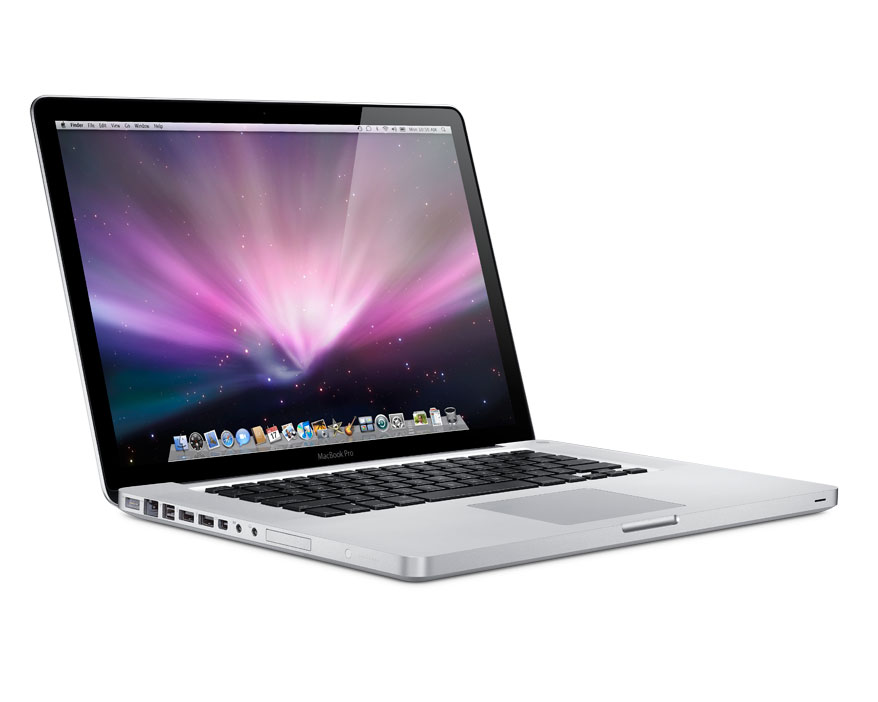


The Pros: Good-looking design; Fast performance; Burn DVDs with nearly 9GB of space
The Cons: Expensive; No HDMI port; No Blu-ray
The Bottom Line: The Apple MacBook Pro is extremely fast with an Intel Core i5 processor. Not to mention, the advanced graphics are quite impressive.
The MacBook Pro now has the latest Intel Core processors including either a Core i5 or Core i7, yet it still weighs in under 3 pounds. This allows you to do everything you normally do on a computer, only even quicker. Send e-mails, write reports, create presentations, edit home movies, upload photos to Facebook, and all the other tasks you can imagine. Since the Core i5 and i7 processors feature a graphics processor with an on-chip engine for video encoding and decoding, you'll have a longer battery life when chatting with family on FaceTime video calls or watching movies on iTunes.
The aluminum unibody construction gives this laptop an extremely sleek design. The entire encolsure is thinner and lighter than other notebooks. It feels strong and durable - perfect for life inside (and outside) your backpack or briefcase. Two words to describe this beauty: polished and refined.
The interior comes with a large glass multitouch pad in addition to a large keyboard that allows for easy typing. The large trackpad uses multitouch gestures for much of its functionality. One of my favorite gestures has to be the sweeping movement you can do with four fingers; up hides all your active windows, left or right brings up the application switcher. There's also one called "inertial scrolling" which you can do by flicking two fingers up or down. This will make the page continue to move slightly up or down, depending on the direction you're going, even after you've lifted your fingers.
The MacBook Pro includes all the necessary connections and ports you could possibly need (and probably didn't even know you wanted.) When you're out and about, the latest 802.11 N wireless technology in MacBook Pro makes it easy to get connected just about anywhere you go. Now you can surf the web, send e-mail and print documents no matter where you are. Stay connected whether you're traveling from room to room or cubicle to cubicle. Another bonus of having wireless is the ability to download apps from the Mac App Store anytime you want. Can't wait to buy that song you just heard on the radio? With wireless, you can buy it right away. Perfect! Other ports include two USB 2.0 ports, an SDXC card slot, FireWire 800 port, Audio in/out, and the Thunderbolt port that connects to the new Apple Thunderport Display or external hard drives.
The MacBook Pro delivers amazing battery life. An energy-efficient processor architecture with an integrated video encoder, along with automatic graphics, all help improve battery life. You can expect to surf the web for up to 7 hours on a single day.
Overall, the MacBook Pro is the talk of the town with its beautiful design and fast performance. I use a MacBook Pro and home and I've never been disappointed with its performance. Once you go MacBook Pro, you don't go back.


TechTurn Editor's Rating
Reviewed by Chelsea Rivet
Click here to find out more about the MacBook Pro A1278.

